Writing a Web App in Laravel For My Father!
My father has a company and is in need of a website! It so turns out I have a great deal of experience in Laravel and I know from experience how great it is for these small projects for a company website that still needs crud. I ofcourse offer to help him, and since I am his best choice (only programmer son) he says ‘Yes of course smartest programmer son I have ever met!’. That’s how this project for my father started and it has been going great!
Starting the project
First I wanted to know what exactly my father needed for the website, although I really wanted to use Laravel for it, if his needs aren’t met by Laravel I might have to look for another solution. It turns out he does indeed need some crud functionality, and I am confident Laravel can handle it. At this point I started the project in laravel.
Using the classic laravel and vue setup, I was able to get the project up and running quickly, since I have done this before so oftend at Dutch Height (my internship company).
But wait… What is it supposed to look like? FIGMAAAA
I get to designing the front-end for my father’s website. I want to make sure he likes it before I start coding. I do this by drawing up wireframes in Figma. I like doing this before I start coding, as it helps me visualize the layout and design of the website, but also helps me communicate my design ideas to my father (or any stakeholder).
My father ends up satisfied with the design and I can move on to coding. Which is really my favorite part of the process (designing is fun but coding is what I love).
Front-end (Have you heard of shade-cdn!)
I know how to design, I know how to use tailwind, I know how to use css, but I just can’t get enough of shade-cdn! It’s a front-end library that helps me in building a beautiful consistent UI for my website. It’s a great tool for saving me time on this small project for my father. Saving that time was especially usefull for this project since my father needed the website quickly.
Besides all of that, I love shade-cdn because of how well integrated it is into already existing front-end frameworks like Vue.js and React.
Authentication
Authentication was also a big part of the project. My dad wants to manage job-applications through the website and I don’t just want anyone to be able to create and manage job-applications now. Laravel’s built-in authentication system was a great fit for this project, and it saved me a lot of time on this small project for my father. The authentication system prevented unauthorized access to the dashboard, and allows my father to savely manage job-applications through the website. He can now create, update, and delete job-applications without any hassle.
Getting everything up and running (LARAVEL CLOUD)
Okay, we have the application, designed, coded, but how do we get it running? It’s already running great locally, but we need to get it running on the web, can’t exactly host it locally. It turns out that laravel has a great deployment system that makes it easy to get your application running on the web. It’s called Laravel Cloud, and boy is it easy! All you do is push your code to a git repository, and Laravel Cloud will take care of the rest. Now it isn’t free, but it’s not too expensive either. A great pick for any small project like this, that won’t really need to many resources, resuling in not too high of a price. Laravel Cloud integrates extremly well with laravel too, allowing you to connect a database in the cloud and use it in your project without even changing a line of code yourself.
Oh and btw, connecting a dns record to your laravel cloud project is easy too, and allows you to use a custom domain name for your application.
End
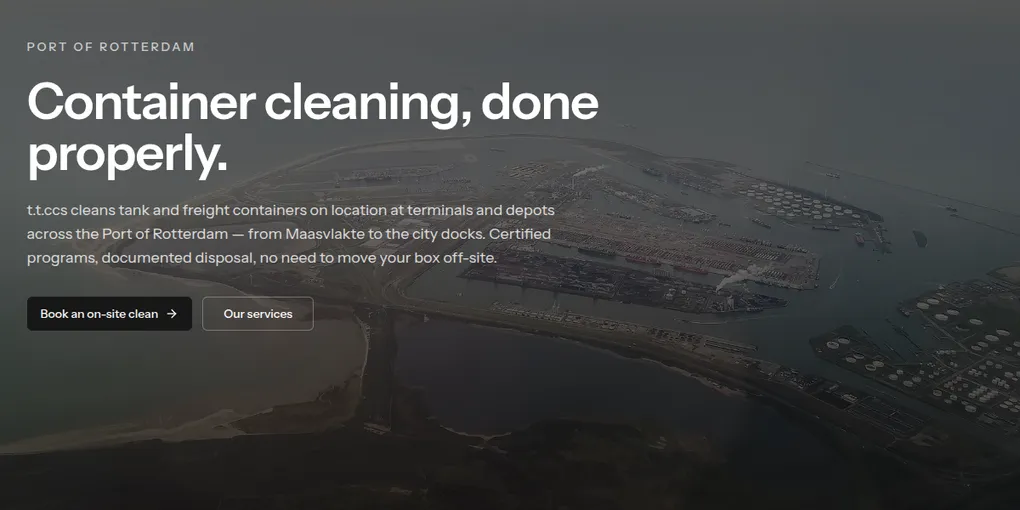
And there it is, up and running at: ttccs website, with a custom domain name and a database in the cloud.
I loved working on this project, and I hope you enjoyed reading a blog post about it.